
Building a Pre-Stream Checklist Before the Winter Event Season
As indoor panels, talks and studio shows pick up in the coming months, here is how to turn a dress rehearsal and a written checklist into the habit that protects every multi-camera stream.
Priya Natarajan · · 6 minutes to read
Why the colder months raise the stakes
Mid autumn is when calendars fill. Business presentations move indoors, panel events return to community rooms and hotel halls, and small studios book more evenings than they did in summer. More shows in a short span means less time to troubleshoot between them, and the same crew often runs several streams in one week. A written checklist is what keeps one hurried evening from carrying its mistakes into the next.
I teach encoders and networks, so I tend to see the failures that begin quietly: a venue connection that behaved well in the afternoon and struggles once the building fills with phones, or a platform setting someone changed since the last event. None of these are dramatic. They are the ordinary drift that happens between shows, and a rehearsal is the one moment you can catch it while nothing depends on the result.
What a full dress rehearsal actually means
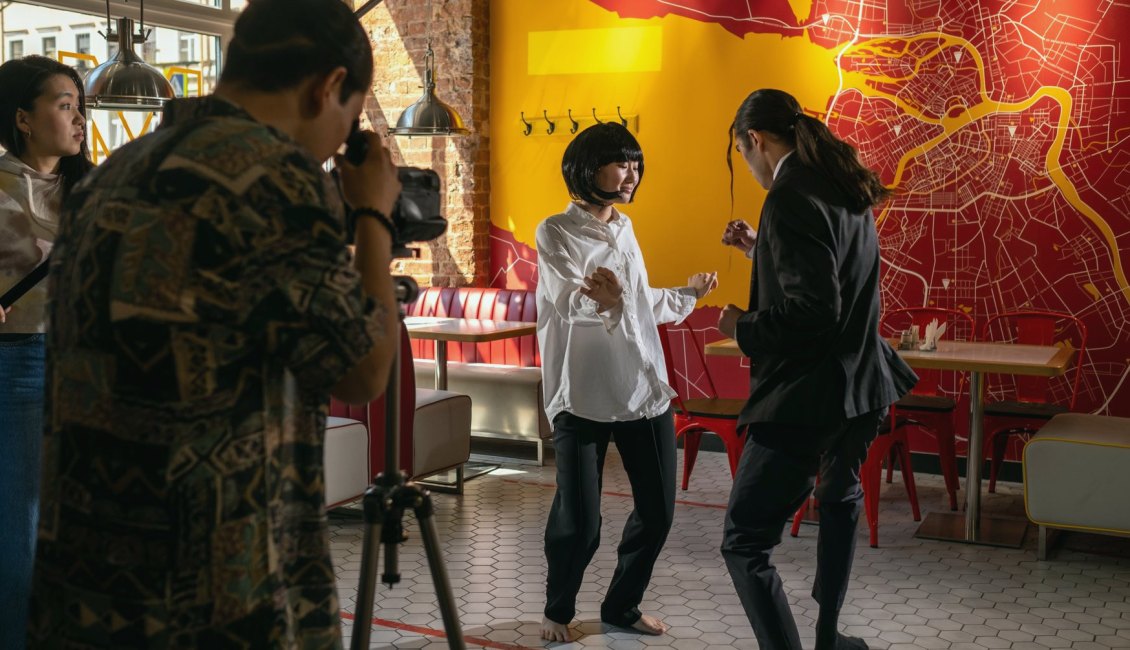
A dress rehearsal is not a quick glance at the camera feeds. It is the whole show, run start to finish, with the same people in the same positions, using the same equipment and the same destination platform you will use on the night. If a presenter will walk to a lectern halfway through, someone walks to the lectern. If a video clip plays at the ten minute mark, it plays.
The reason to run it in full is that problems rarely sit inside one component. A camera looks fine alone and then drops when the switcher is also feeding the encoder. A microphone sounds clean until a second one opens and the room begins to ring. Only a complete pass shows how the parts behave together, and it also tells the crew how long each handover really takes.
- Use the real running order, not a shortened version
- Keep the same people at the same stations
- Stream to the actual platform, even if set to private
- Record the rehearsal so you can review it afterwards
Cameras and scenes: what to confirm on the list
Begin the checklist with the picture, because it is the first thing an audience judges. Confirm that every camera is powered, labelled and showing on the switcher, and that the labels on the cables match the labels on the screen. Check focus, exposure and framing against the person who will actually be standing there, not a stand-in with different clothing or height.
Then move to scenes. Step through each one in order: the opening card, the wide shot, the close-ups, any overlay or name caption, the closing scene. Spelling in captions is worth a deliberate read, since a typo sits on screen for the whole segment. Confirm that transitions are the length you intended and that nothing flashes unexpectedly when you cut between sources.
- Every camera labelled the same on cable and on screen
- Framing checked on the real presenters
- Each scene and caption stepped through in running order
Sound and platform settings, checked twice
Audio failures are remembered longer than video ones, so give sound its own section of the list. Check that each microphone is live, set to a sensible level and routed to the stream, then listen on headphones to what the viewer will hear, not what the room hears. Speak at the loudest and quietest levels you expect, and walk the room for any spot where feedback starts.
Finish with the platform side. Confirm the stream key is the current one, the destination is the right channel, and the resolution and frame rate in the encoder suit the venue connection and what the platform accepts. Set the stream to private or unlisted for the test, watch it from a second device, and note any delay so the crew is not surprised by it during questions from remote viewers.
- Each microphone live, leveled and heard on headphones
- Stream key and destination confirmed as current
- Encoder bitrate matched to the venue connection
- Watched from a second device before going public
Settling the list into a routine
A checklist only protects you if people use it the same way every time. Keep it on one page, in the order the work happens, and tick items as they are done rather than as they are remembered. Put the person responsible next to each line, so that a gap has a name attached to it instead of becoming everyone's assumption.
After each show, take ten minutes to amend it. If a cable label caused confusion, add a step. If a platform setting surprised you, write it down with the date it changed. Over a few events the list becomes specific to your venue and your equipment, which is far more useful than any general template. Results still depend on the venue connection, the platform and the agreed equipment, and the list is how you keep track of those three.
Leaving room before the audience arrives
Plan the rehearsal for a time that leaves a margin. A pass that finishes only minutes before doors open turns every small fault into a rushed decision. Where the venue allows it, rehearse the day before and do a shorter confirmation on the day, covering only the items most likely to have changed, such as the connection and the platform settings.
Also decide in advance what happens if something fails. Know which backup connection you will switch to, who makes that call, and what the audience will see in the meantime. Agreeing this calmly during rehearsal costs nothing. Agreeing it during a live show costs viewers. A rehearsed fallback is usually the difference between a brief pause and a stream that ends early.
Over the coming months, the most useful thing you can add to a multi-camera stream is not another piece of equipment but a written list and a full rehearsal to test it. Run the whole show, check cameras, sound, scenes and platform settings in order, and write down what you learn. Each event then starts from a better list than the last, and the audience sees a stream that simply works.