
Audio Routing Mistakes That Ruin a Multi-Camera Stream, and How to Avoid Them
Most audio problems in a live stream come from a few repeatable routing errors. Here is what goes wrong between the microphone and the encoder, and how to catch it early.
Priya Natarajan · · 6 minutes to read
Treating audio as an afterthought
The most common mistake I see in these weeks of autumn event bookings is simple: the cameras get all the attention and the sound is plugged in ten minutes before going live. Learners spend hours choosing lenses and angles, then discover that a viewer will forgive a soft picture far sooner than a thin, echoing voice.
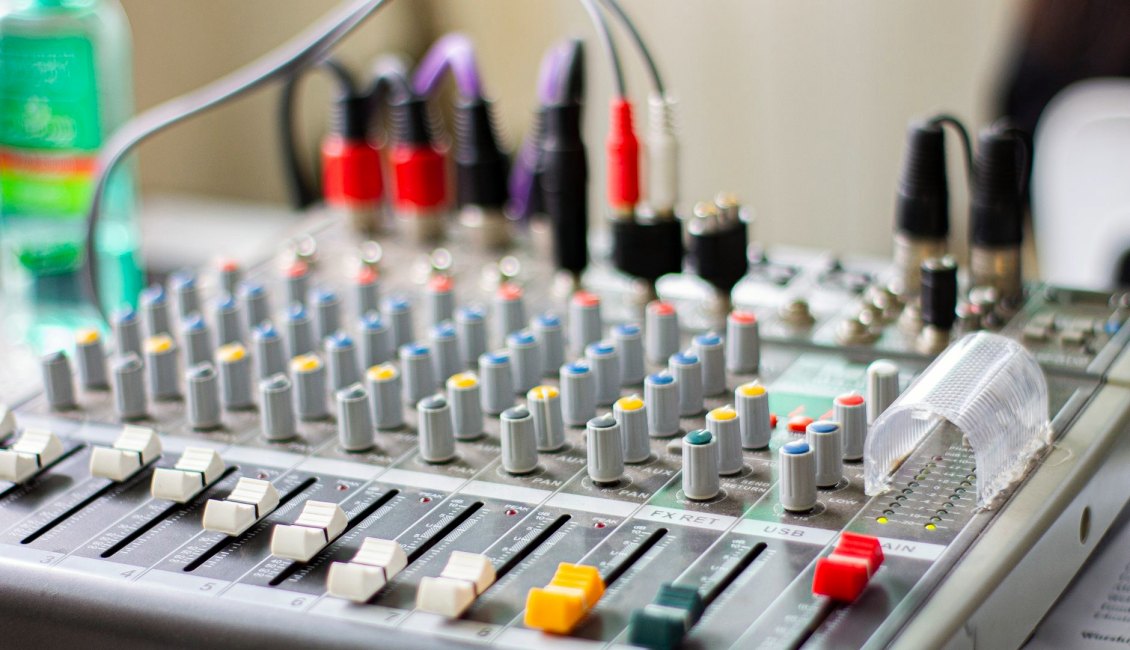
Audio routing is a chain with several links: microphone, cable, mixer channel, bus, output, and finally the encoder input. Any one of them can be set wrong without anything looking broken on screen. The meters may move, yet the stream receives silence, or only the left channel, or a mix with the room echo turned up.
The fix is to draw the chain on paper before the day, name every link, and check each one in order. In the course we make learners trace a single voice from the capsule to the platform preview, speaking out loud at each stage, until the path is something they can recite.
Gain set by guesswork
Input gain is where many streams are damaged for good. If the preamp is set too hot, the signal clips and no later adjustment removes the distortion. If it is set too low, you push the fader up later and raise the noise floor with it, so hiss and room rumble arrive in the stream.
The habit that helps is to set gain with the speaker talking at the volume they will actually use on the day, not in a polite test voice. Panel guests tend to lean in once the lights are on, so leave some headroom above the loudest moment you hear.
Aim for peaks that sit comfortably below the top of the meter, then use the channel fader only for small balance changes. Write the gain positions down once they are right. If a mixer is shared between events, those notes save a lot of rushed guessing.
- Set gain with the real speaking voice
- Leave headroom for louder moments
- Note the settings once they are right
Echo, feedback and the room itself
Echo in a stream usually has one of two causes. Either a microphone is picking up the room speakers, or a remote guest is hearing their own voice returned to them because the return feed was not built correctly. Both are routing faults, not equipment faults, and both are avoidable.
In a venue with a public address system, the stream feed should not be taken from the same mix the room hears unless you have checked it. A mix made for the loudspeakers is balanced for people in the hall, and online listeners need something different, with speech clearer and room sound lower.
Where a remote guest joins, build a separate mix that leaves out their own voice. Mixers call this a mix-minus, and it removes the echo loop at its source. Practise it in rehearsal rather than discovering it with the guest waiting on the line.
Ignoring the path into the encoder
A clean mix can still be spoiled in the last step. The mixer output goes into a computer or an encoder through an interface, and the sample rate, channel layout and input selection all have to agree. A mismatch can give you a low hum, crackle or audio that drifts away from the picture.
Another trap is leaving the computer's own microphone or a default device selected, so the stream carries the laptop mic instead of the mixer. It looks fine in the audio meter because something is making sound, just not the right thing.
Check which device the encoder is listening to, and confirm that the platform preview carries the same sound you hear in headphones. If picture and voice drift apart, tell the person doing the switching, because delay between the video chain and audio chain often needs a small adjustment on one side.
- Confirm the selected input device
- Match sample rates across the chain
- Compare headphones with the platform preview
Skipping monitoring and the full-length test
Many drop-outs and level jumps are not found because nobody listened to the stream as an audience member would. Closed headphones on the mixer tell you what the mixer outputs, not what arrives. A short test with a second device receiving the stream shows the real result, delay included.
Run the audio for the full length of the planned event at least once if you can, or a long enough stretch to reveal problems that appear slowly. Wireless microphones that lose battery, a cable that crackles when touched, or a laptop that starts to struggle are all things a five-minute check will miss.
Have spare batteries, a spare cable and a spare microphone within reach. They cost little, and having them turns a stream-ending fault into a thirty-second swap that most viewers never notice.
A short routing check to keep
Pulling this together, a routing check does not need to be long, but it needs to be written down and followed in the same order every time. Start at the microphones and work towards the platform, so that each step proves the one before it.
First confirm every microphone is powered, labelled and reaching its channel. Then set gain, check for echo with the room system on, and build any guest return mix. After that, confirm the encoder input and compare the preview with your headphones.
Keep the list at the mixer, tick each item, and add anything that has caught you out before. Over a few events the list becomes specific to your venue and your equipment, and that is when it becomes most useful.
- Microphones powered, labelled and live
- Gain set with real speech
- Guest return mix tested
- Encoder input and preview confirmed
Audio faults in a multi-camera stream rarely come from expensive gear failing. They come from a missed step in the chain: gain set by guesswork, a mix built for the room instead of the stream, a wrong input device, or no full-length test. Draw the path, check it in order, listen as an audience member would, and keep spares close. Performance still depends on the venue connection, the platform and the agreed equipment, but clean routing removes the problems you can control.